

⬇
⬇
⬇

Claudia Embeddable Widget
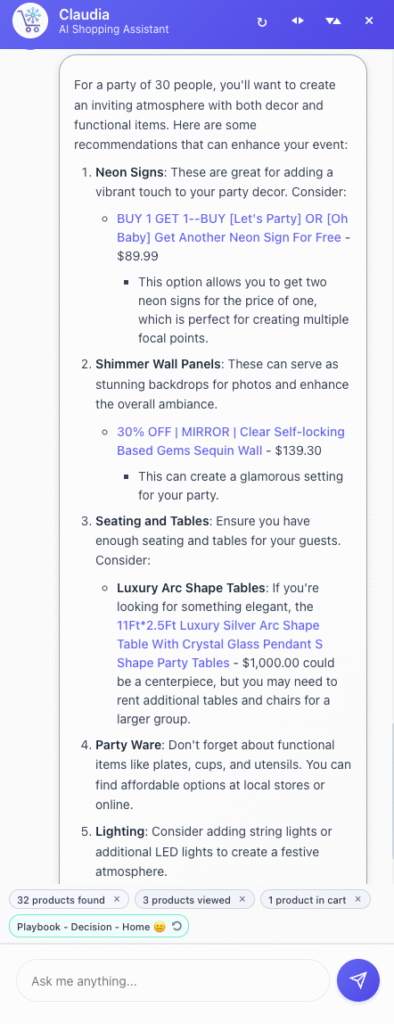
Add Claudia to your site with a simple JavaScript snippet. Copy the embed code from your dashboard and paste it into your site’s HTML. The widget appears as a floating chat button on your store. Customers can start chatting immediately—no sign-up required. The widget works on any platform and adapts to your site’s design. It supports three modes: hover (floating overlay), pane (docked to side), and fullscreen (immersive experience). Customers can switch between modes seamlessly, and product links automatically adapt based on the current mode.
Agent Studio: Customize Claudia’s Behavior
AI Playbooks
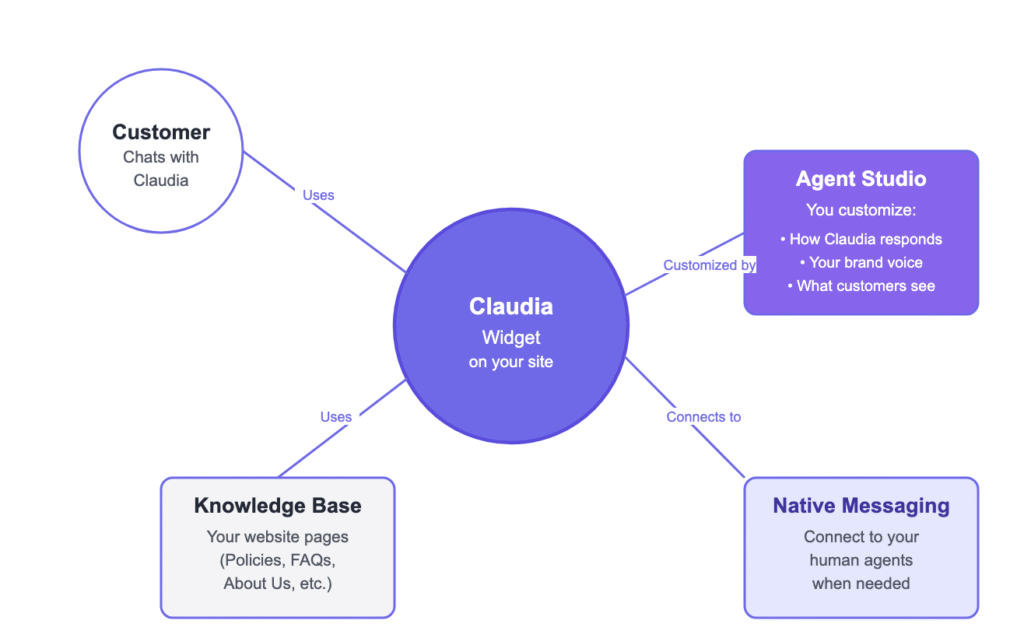
Customize how Claudia responds in different shopping situations. Go to Agent Studio → AI Personality. You’ll see 16 scenarios based on customer emotions (frustrated, confused, excited, neutral) and shopping phases (discovery, consideration, decision, post-purchase). For each scenario, write how you want Claudia to respond. For example, if a frustrated customer is deciding, you might want Claudia to be more empathetic and offer discounts. Save your changes, and Claudia will use your custom responses in those situations. This ensures Claudia matches your brand’s communication style and helps customers at every stage of their journey.
Brand Voice
Set your brand’s communication rules so Claudia stays on-brand. Go to Agent Studio → Brand Voice. Choose your tone (Professional, Conversational, Luxury, or Playful). Add forbidden words or phrases you never want Claudia to use. Create a competitor blacklist so Claudia never mentions competing brands. Add legal and compliance rules, like required disclaimers or mentions. You can also add custom brand guidelines. Claudia will follow these rules in every conversation, keeping your brand voice consistent. This prevents Claudia from saying anything that could damage your brand reputation or violate your policies.
AI Evidence (Transparency)
Show customers how Claudia thinks to build trust. Go to Agent Studio → AI Evidence. Enable “Show Thinking Messages” to display when Claudia detects emotions or adjusts her tone. Choose how long these messages stay visible: always, fade after a few seconds, or never show. For example, if a customer seems frustrated, Claudia might show “I notice you’re frustrated—let me help right away” before responding. This transparency helps customers understand that Claudia is paying attention to their needs. It builds confidence that Claudia is not just giving generic responses but actually understanding their situation.
Knowledge Base: Smart Page Sync
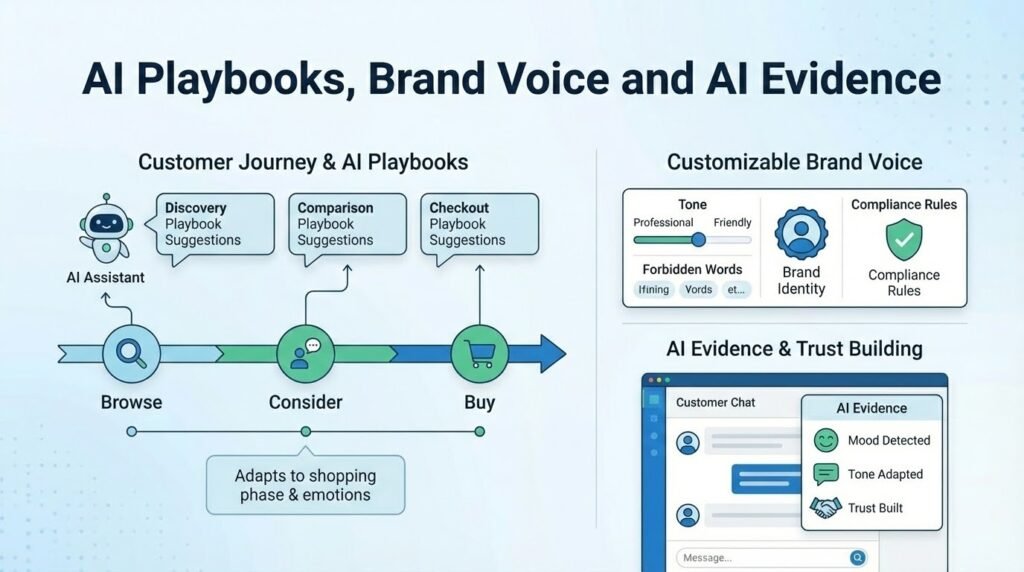
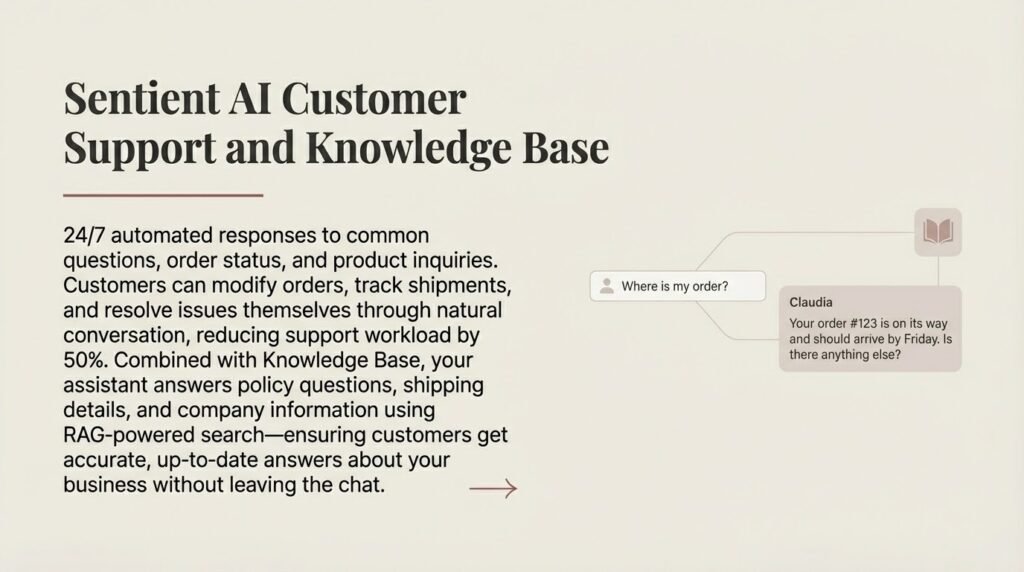
Sync important pages from your website (About Us, Policies, FAQs, Contact) so Claudia can answer questions about your store. Go to Knowledge Base and select the pages to sync. Use “Smart Select” to automatically pick relevant pages—Claudia analyzes all your pages and suggests which ones are most useful for customer support. Click “Sync to Knowledge Base” to add them. Claudia will use this content to answer questions about shipping, returns, policies, and more. Set up scheduled sync to keep pages updated automatically—choose daily, weekly, or monthly updates. When customers ask about your return policy or shipping times, Claudia answers using your actual content, not generic responses. This ensures customers get accurate, up-to-date information directly from your website.
Claudia → Messages (Native Messaging Platform)
When customers want to speak with a human agent, Claudia can connect them through your native messaging platform. Customers see an option to “Chat with an Agent” and fill in their name and email. A real-time conversation opens where your agents can respond directly from their dashboard. Customers stay on your site—no need to switch to WhatsApp or another app. All conversations are saved in your dashboard so you can review them later. This keeps everything in one place and makes it easy for your team to help customers without leaving your platform. The messaging system supports file attachments, so customers can share screenshots or documents if needed.
Human Agents: Multi-Platform Handoff
When customers need human help, Claudia intelligently routes them to your team through their preferred messaging platform. Configure multiple agents with different specialties (fashion expert, tech support, regional specialist) and let customers choose who they want to talk to. Claudia shows agent profiles with photos, specialties, and availability status. Customers can see who’s online and choose the best person for their needs.

Platform Options
Connect your agents to multiple messaging platforms so customers can use their favorite app:
- WhatsApp: Direct phone handoff—customers click to open WhatsApp with your agent’s number. Perfect for customers who prefer mobile messaging. Already integrated and works instantly.
- Native Messaging: Built-in messaging platform where customers stay on your site. No external apps needed. All conversations are saved in your dashboard. Best for keeping everything in one place.
Smart Agent Routing
Claudia automatically matches customers with the best agent based on their question. If a customer asks about sizing, Claudia routes them to your fashion expert. If they ask about technical specs, Claudia connects them to tech support. The system considers agent specialties, availability, and current workload to ensure customers get the right help quickly. If multiple agents are available, customers can choose from a list with agent profiles showing their expertise and response times.
How It Works
When a customer says “I need to speak to someone” or shows frustration, Claudia detects the handoff intention. She then checks which agents are online and available. If you have multiple agents, Claudia shows them as numbered options with their specialties. Customers can choose by number (e.g., “1” for the fashion expert) or by clicking the agent card. Once selected, customers choose their preferred messaging platform. The conversation continues seamlessly on their chosen platform, and your agent receives the full conversation context so they know exactly what the customer needs.
Agent Management
Add agents in your dashboard with their name, photo, title, specialties, and available platforms. Set each agent’s status to online or offline. Agents can have different specialties (fashion, electronics, customer service) and speak different languages. The system tracks which agents are available and routes customers accordingly. You can see conversation history, response times, and customer satisfaction for each agent to help you optimize your team’s performance.
Core Capabilities
Conversational Intelligence
Claudia answers general questions about policies, shipping, returns, gift wrapping, and store information. She maintains conversation memory across all topics and remembers previous discussions. She understands context and follow-up questions, so customers can have natural conversations without repeating themselves.
Product Discovery
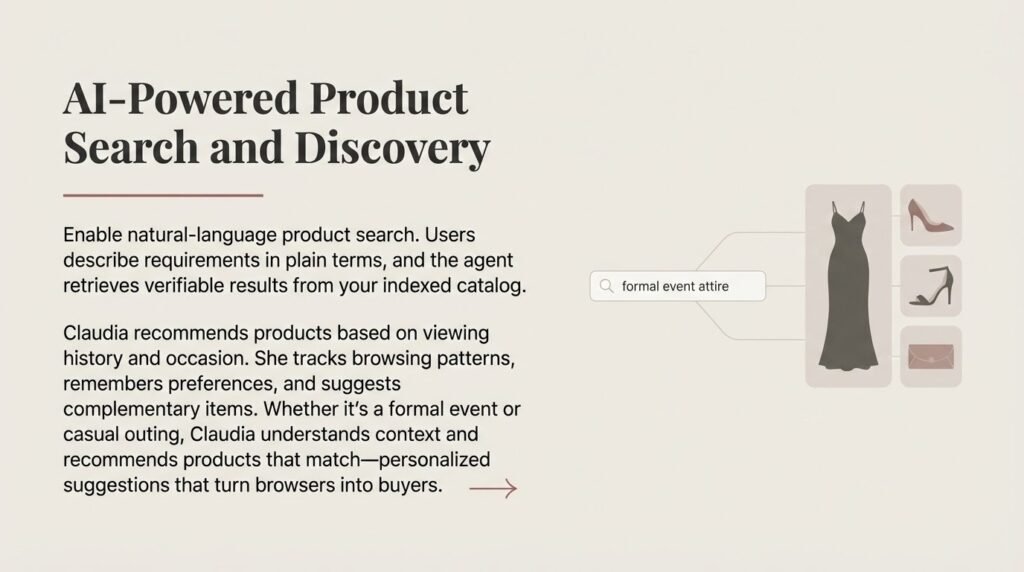
Customers can browse products with pagination, search by keywords or natural language, and use image search to find similar products. Claudia shows variation cards for variable products with size and color options. She displays cart contents with actions and supports numbered references (e.g., “add product 2 to cart”).
Transaction Assistant
Claudia helps customers add and remove items from cart, navigate to pages (checkout, account, shop), view orders and account information, and update customer profile fields. All cart operations are synchronized in real-time with your store, so changes appear immediately.
Sentiment-Aware Responses
Claudia detects customer emotions (frustrated, confused, excited, neutral) and adapts her tone automatically. She recognizes shopping phases (discovery, consideration, decision, post-purchase) and provides appropriate guidance. For frustrated customers, she’s more empathetic. For excited customers, she matches their energy. This creates a personalized experience that helps turn more browsers into buyers.
Semantic Search
Claudia uses advanced AI to understand what customers are looking for, even if they don’t use exact product names. She can find “XL clothes” or “green dress” by understanding the intent behind the query. This makes product discovery much easier for customers who don’t know your exact product names.
Universal Platform Support
Claudia works with any ecommerce platform—Shopify, Odoo, BigCommerce, and custom sites. The embeddable widget integrates seamlessly with your existing store. No matter what platform you use, Claudia provides the same intelligent shopping assistance. Your customers get a consistent, helpful experience regardless of your technical setup.